Features
Everything between an idea and a site that stays up
airepeat plans and builds sites with AI, runs open-source services, and looks after servers, domains and backups, all on accounts you own. Anything that costs money or can't be undone waits for you.
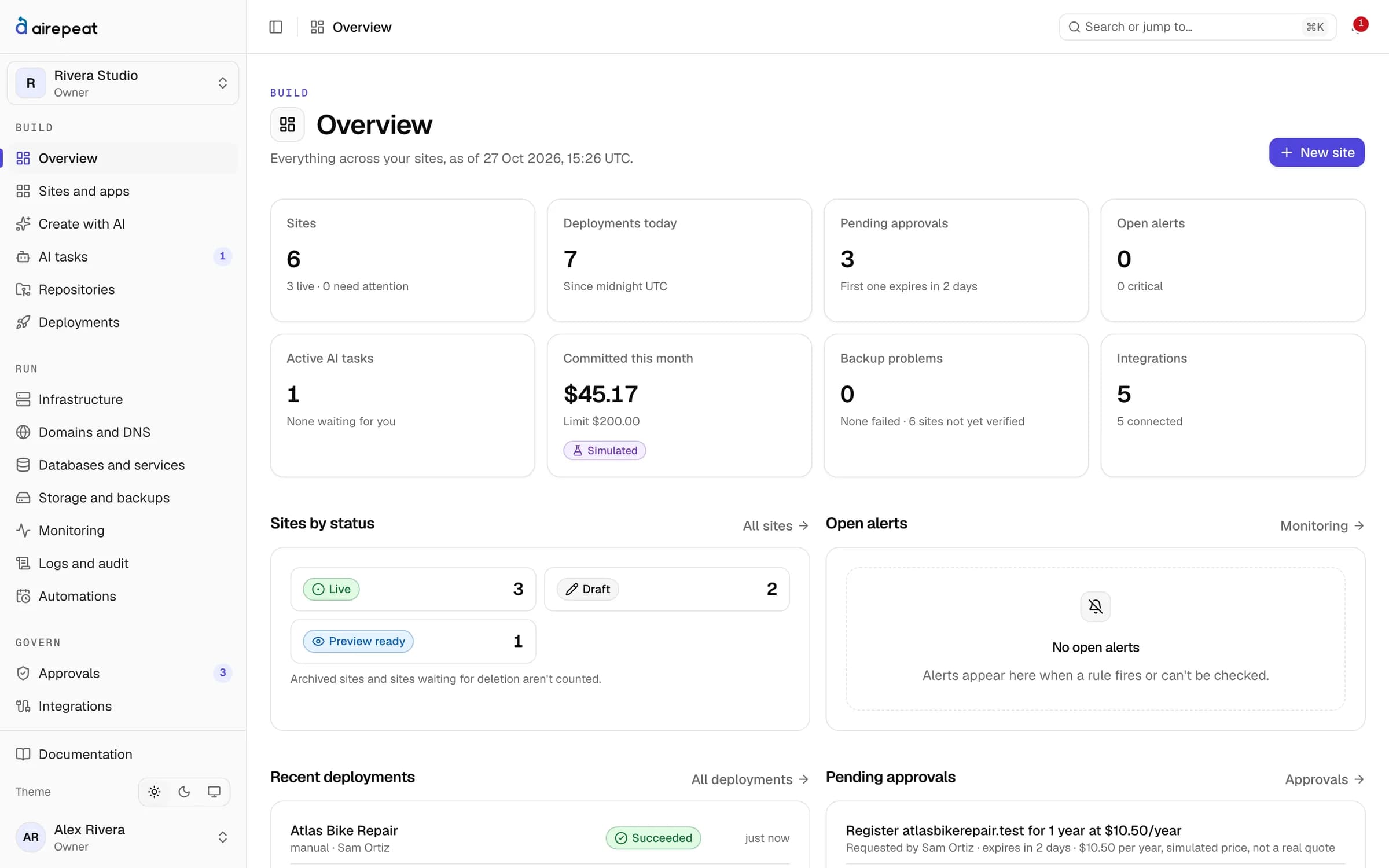
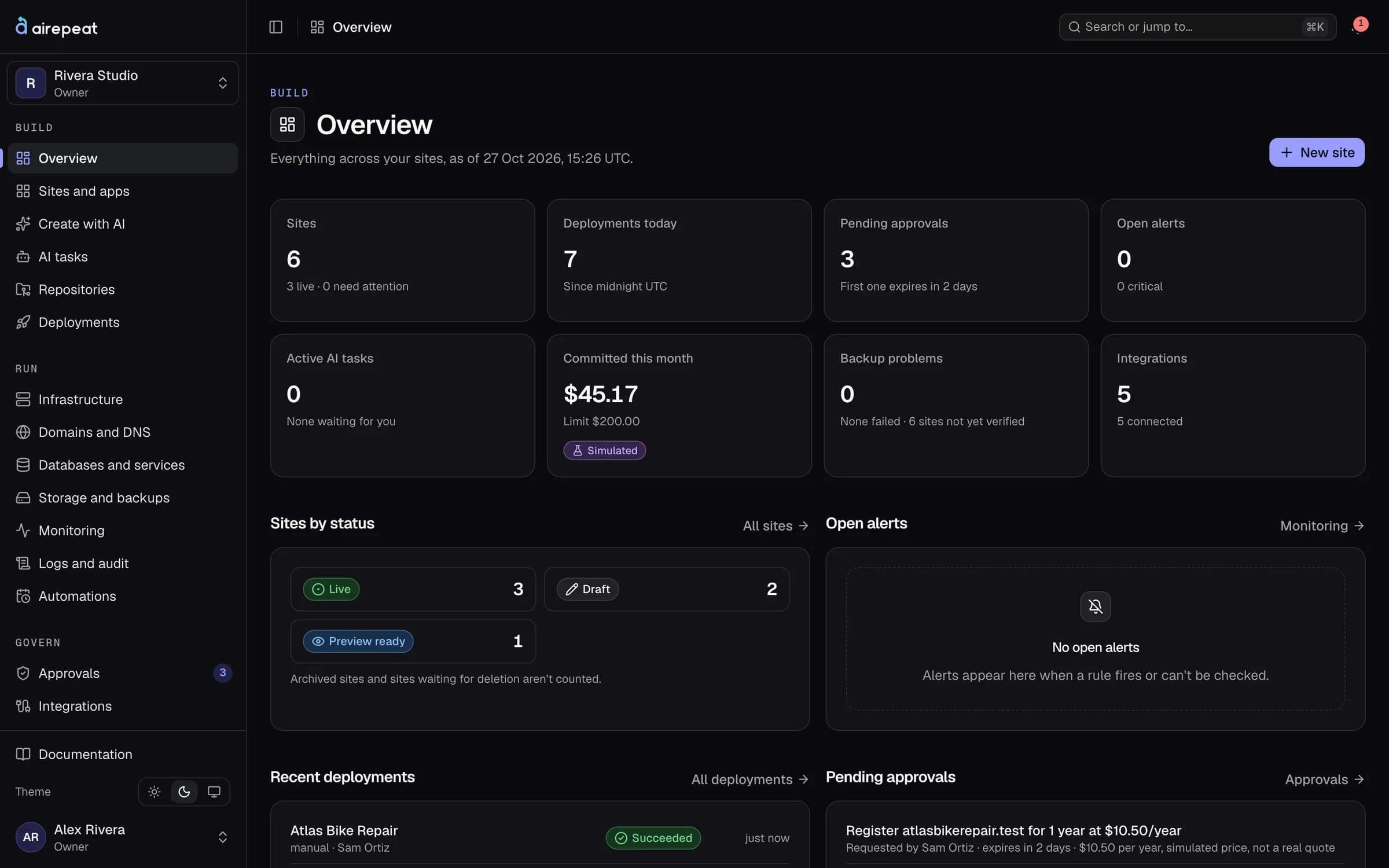
Build
From a conversation to reviewed code in your own GitHub repository.
AI planner and tasks
Describe the site. Review the plan. Then the code.
The planner turns a conversation into a site brief, a page list and a first version. Later changes are tasks: say what you want, and the AI works on a branch of its own.
- Your choice of model
- Claude, with your own key, picked per task. OpenAI, Gemini, DeepSeek, Kimi, OpenRouter and a local Ollama server are in testing.
- Cost limits
- Each task has a cost limit, and the workspace has a monthly AI budget. Usage is counted the same way for every provider.
- Review before release
- AI work reaches the live site only through a release review. It is built in the site's private preview first.
Create with AI · bakery-site
A site for a small bakery: the menu, opening hours and a contact form that emails me.
Here is the plan. Nothing goes live until you review it.
- Site brief and page list(done)
- Home, Menu, Hours and Contact pages(done)
- Build in the private preview(in progress)
- Ready for your review(not started)
Model
- Claude
- OpenAI
- Gemini
- DeepSeek
- Kimi
- OpenRouter
- Ollama
Stops at the limit and asks before going further.
File browser and drafts
Edit the code yourself, safely
Every site has a Files tab. You read the release branch and edit on a personal draft branch, one commit per save, authored by you.
- Send to review
- A draft becomes a release the same way an AI task does. Nothing is deployed by saving.
- Guard rails
- Nothing outside the repository, no symbolic links, no .env files, no git internals or workflow files.
- Real history
- The Changes tab shows the release branch, your drafts and AI branches, with a diff for every file.
Files · bakery-site
- src
- app
- page.tsx
- menu/page.tsx
- public
- seo.json
- package.json
<section className="hero">Removed: <h1>Fresh bread daily</h1>Added: <h1>Fresh bread, baked at six</h1>Added: <p>Open Tuesday to Sunday.</p> </section>Previews and releases
See it privately before anyone else does
Each site can have a password-protected preview with its own database. A release binds a review to the exact commit and settings, and the deploy builds exactly that commit.
- First launch needs an owner
- A site's first public launch always waits for an owner's review.
- Failed deploys
- A failed build offers an AI fix task with the build log attached.
- Health checks
- After launch the site is checked, and a slow or failing site is marked degraded.
Releases · bakery-site
- ChangeAI task or draftDone.
- PreviewPrivate, passwordDone.
- 3ReviewCommit 4f1c2a9Current step.
- 4ReleasePinned commitNot yet.
- 5LiveHealth checkedNot yet.
First public launch
Owner reviewThe review is bound to the exact commit and settings. Changing either means a new review.
SEO and analytics
Search settings that live with the code
SEO settings are kept in seo.json in the site's repository, so every change is versioned and reaches the live site through a release.
- 22 checks
- The SEO check crawls up to 50 pages of the live site or the preview and suggests a fix for each problem.
- Indexing is a switch
- Sites stay out of search engines until indexing is turned on, which needs its own approval.
- GA4 after consent
- Google Analytics loads only on the live site, after visitor consent. Manage tracking and consent in the dashboard; view GA4 reports in Google Analytics.
SEO check · bakery-site
- Page titles and descriptionsPassed
- Canonical addressesPassed
- Sitemap and robots.txtPassed
- Broken internal linksPassed
- Social image on /menuFix suggested
- Heading orderPassed
// seo.json
{
  "titleTemplate": "%s · Bakery",
  "locale": "en",
  "analytics": { "ga4": "G-XXXX" }
}
Visitors this week
Visitor counts from Umami when tracking is installed.
Also included
Templates
Ready-made starting points for several stacks. A new site keeps only the parts it needs.
Import from GitHub
Bring an existing repository. airepeat reads its files and suggests the build, port and health path; it never runs them to find out.
WordPress
WordPress with MariaDB as a one-click site, with a link straight to its admin.
Services
Coolify's whole one-click catalogue: 352 open-source services in 21 categories.
One-click services
Analytics, automation, databases, AI, and more
Pick a service, choose a server and an address, and it starts. The catalogue is a committed snapshot of Coolify's template feed, refreshed daily in live mode.
- Know the risky ones
- Services that mount the Docker socket, run privileged, use the host network, publish host ports or open an admin page without a login are flagged, and need your explicit acknowledgement.
- Day-to-day controls
- Start, stop and restart services, and set their variables. Secret values go in once and are never shown back.
- An address each
- Every web container gets its own address on your domain, with HTTPS.
Service catalogue
- All
- analytics
- automation
- ai
- database
- monitoring
 N8n
 Supabase
 Ghost
 Uptime Kuma
 Umami
 Nextcloud
 Gitea
 Grafana
 Directus
 Appwrite
 Metabase
 Immich
 Ollama with Open Webui
 Mattermost
 Strapi
 Listmonk
 Jellyfin
 Pocketbase
Docker access
This service can control every container on the server. Creating it needs your acknowledgement.
Launch
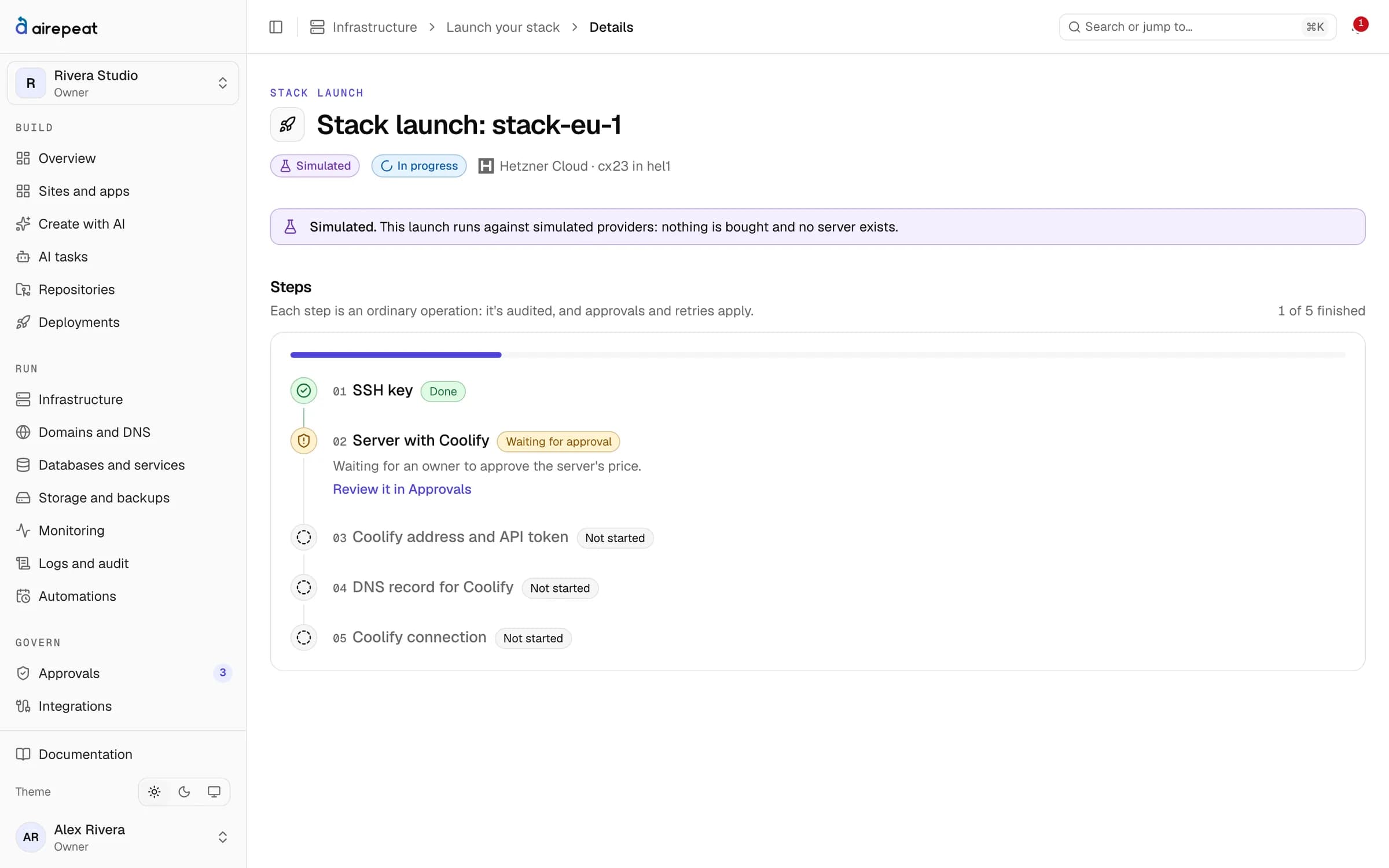
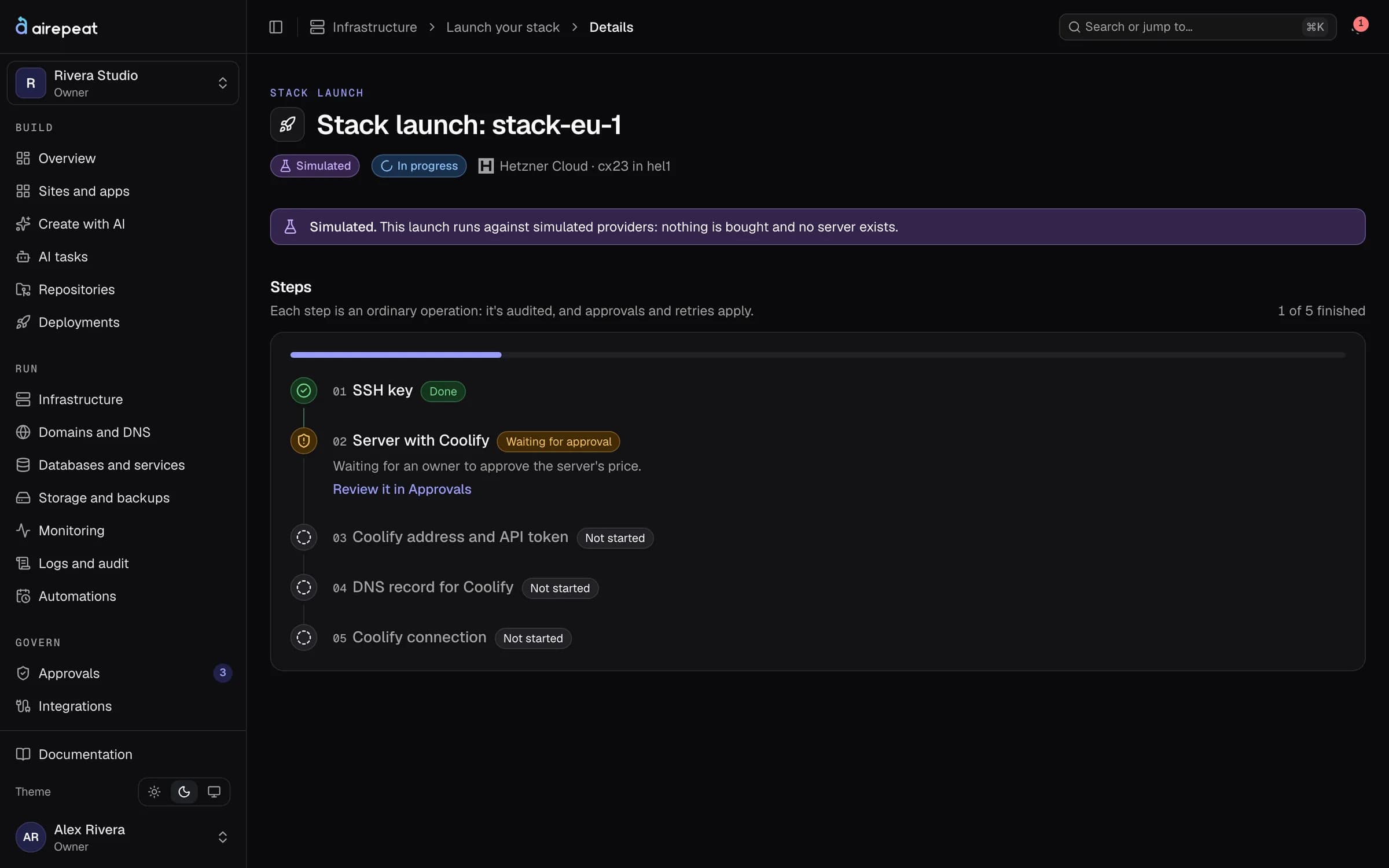
A server with Coolify, your domains and DNS, set up from the dashboard.
One-click stack
A ready server in your own account
Choose a provider, region and size. After your approval, airepeat creates the server, installs Coolify, finishes setup over SSH, points coolify.your-domain at it and connects it over HTTPS.
- Your bill, your server
- The server is created in your provider account and billed by them. airepeat shows the provider's price before you approve.
- Credentials handled carefully
- Coolify's API token never crosses the internet in clear. The admin password can be revealed once, by an owner.
- Providers
- Hetzner today. DigitalOcean in testing
Domains and DNS
Addresses that point where you expect
Connect your Cloudflare zones and point names at sites and services. Every DNS change is shown as a plan and approved before it runs.
- Never overwritten silently
- The plan lists each record it adds, changes or keeps. Removing records and changing nameservers need approval too.
- Certificates watched
- Each live site's certificate is checked, and alerts can fire before it expires.
- Registrars
- Buying, renewing and transferring domains at an exact, approved price in testing
DNS plan · bakery.example
| Change | Type | Name | Value |
|---|---|---|---|
| Add | A | bakery.example | 203.0.113.24 |
| Add | A | www | 203.0.113.24 |
| Change | A | preview | 203.0.113.24 |
| Keep | MX | bakery.example | mail.provider.example |
Existing records are never overwritten silently. The plan shows every change before it runs.
Run
Daily backups, monitoring with history, and jobs that run on their own.
Backups
A backup counts only once it has been restored
Backups airepeat takes of a site's code and settings are checked against their SHA-256 and restored into a scratch folder straight away. Only then are they marked verified.
- Daily database backups
- Coolify backs up site databases every day and airepeat records each run. Restoring them is done in Coolify for now.
- Archive before purge
- Archiving a site takes a full backup. Purging waits 7 days, needs verified backups and its own approval.
Backups · bakery-site
- Today 03:00Database4.2 MBDaily, by Coolify
- Today 02:00Files18.7 MBVerified by restore
- Today 02:00Configuration6 KBVerified by restore
- Yesterday 03:00Database4.1 MBDaily, by Coolify
Monitoring and alerts
Know before your visitors do
Uptime, response times and server resources, with history. Readings carry their source: if a number can't be measured, it says unavailable rather than guessing.
- Alerts where you work
- Email, Slack or signed webhooks, at most once per cooldown.
- Live logs
- App logs follow live, with credentials, tokens and email addresses masked on the server.
- Start, stop, restart
- Servers, apps and databases have their own pages and controls. Stopping a server needs an owner's approval.
Monitoring · bakery-site
Uptime, 24 hours
99.65%
Response time
42 ms
Certificate
71 days left
Response time above 60 ms for 3 checks. Sent to email and Slack.
Automations
Routine work on a schedule
Start from templates such as nightly backups for every live site, weekly retention or alert checks every five minutes. Each template lists exactly what it creates.
- Runs once per slot
- Two workers can't run the same slot twice, and missed slots are skipped rather than replayed.
- Your permissions
- Each run acts as its owner, with the permissions they have when it runs.
Automations
- Nightly backups, every live siteDaily · 02:00 UTCNext in 6 h
- Alert checksEvery 5 minutesNext in 2 min
- Backup retentionWeekly · SundayNext in 4 days
- Provider refreshEvery 15 minutesNext in 9 min
Each run uses its owner's permissions at the time it runs, and is recorded once.
Also included
Provider refresh
Servers, apps, databases, zones, repositories and domains are read from every connected provider every 15 minutes by default.
Protected control
The dashboard's own server and app can't be stopped or restarted from it.
Variables
Edit each app's variables through an approved change. Values are dropped before they reach the page.
Control
Safe defaults for teams, and for your wallet.
Approvals
Spending and deletions wait for a yes
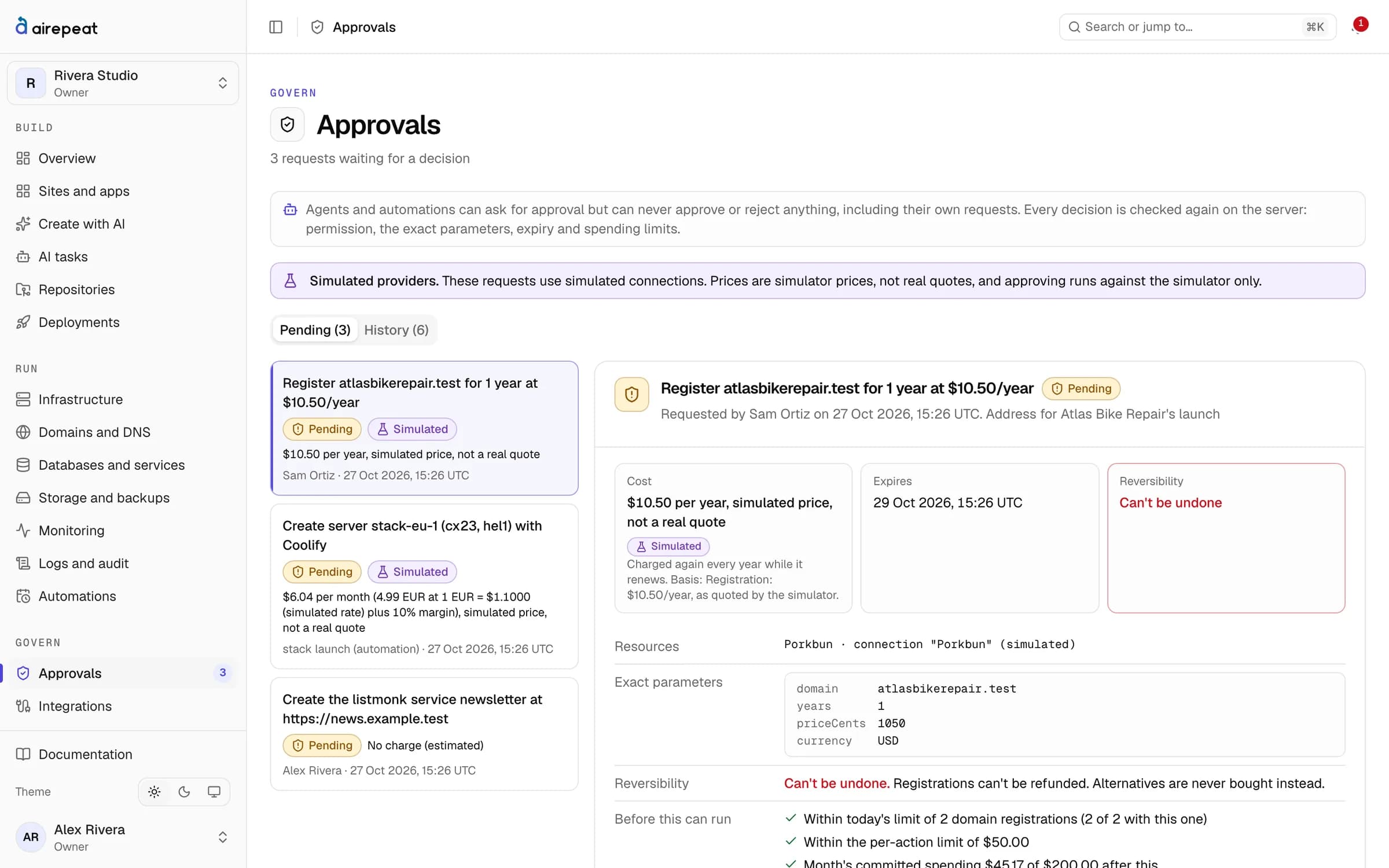
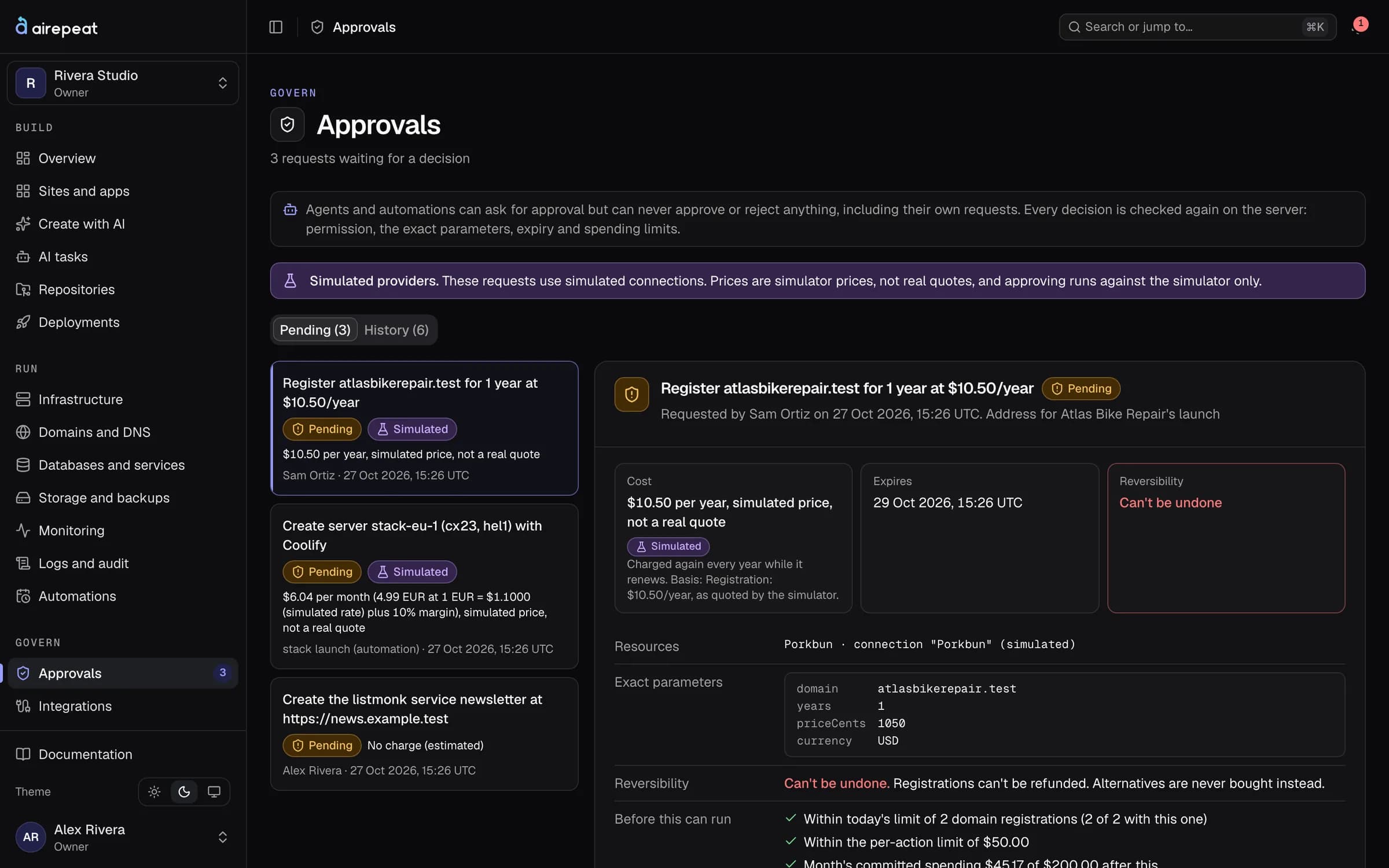
Anything that costs money or can't be undone becomes a request bound to the exact resource, parameters and price. It is checked again when it runs.
- Two people
- Nobody approves their own request, except owners: in a one-owner workspace there's nobody else to ask.
- Spending limits
- Monthly and daily limits count every request that hasn't settled yet, so nothing slips through at the turn of a month.
Roles
The right access for each person
Owners, administrators, developers, operators and viewers. Every page and action checks the role on the server, not in the browser.
- Two-factor sign-in
- A workspace can require it for everyone. Platform administrators always need it.
- Invitations
- People join by invitation, with the role you choose.
Team roles
| Role | Edit | Deploy | Servers | Keys | Team | Spending |
|---|---|---|---|---|---|---|
| Owner | Can: Edit | Can: Deploy | Can: Servers | Can: Keys | Can: Team | Can: Spending |
| Administrator | Can: Edit | Can: Deploy | Can: Servers | Can: Keys | Can: Team | Cannot: Spending |
| Developer | Can: Edit | Can: Deploy | Cannot: Servers | Cannot: Keys | Cannot: Team | Cannot: Spending |
| Operator | Cannot: Edit | Can: Deploy | Can: Servers | Cannot: Keys | Cannot: Team | Cannot: Spending |
| Viewer | Cannot: Edit | Cannot: Deploy | Cannot: Servers | Cannot: Keys | Cannot: Team | Cannot: Spending |
Every role can view. Checked on the server for every page and action.
Audit log
Who did what, when, and with whose approval
Every change is recorded with its actor and approval. The log is append-only: the database refuses edits and deletions.
- Names, not secrets
- Keys are recorded by name only; file changes by path, never contents.
- Refusals too
- Declined AI requests are recorded, and repeated ones open a report for review.
Audit log
- 09:14:02samserver.createapproved by alex
- 09:12:47alexsecret.createHETZNER_TOKEN (name only)
- 09:03:19samrelease.approvebakery-site · 4f1c2a9
- 08:58:31workerbackup.verifybakery-site · files
- 08:41:10alexmember.inviterole developer
Key vault
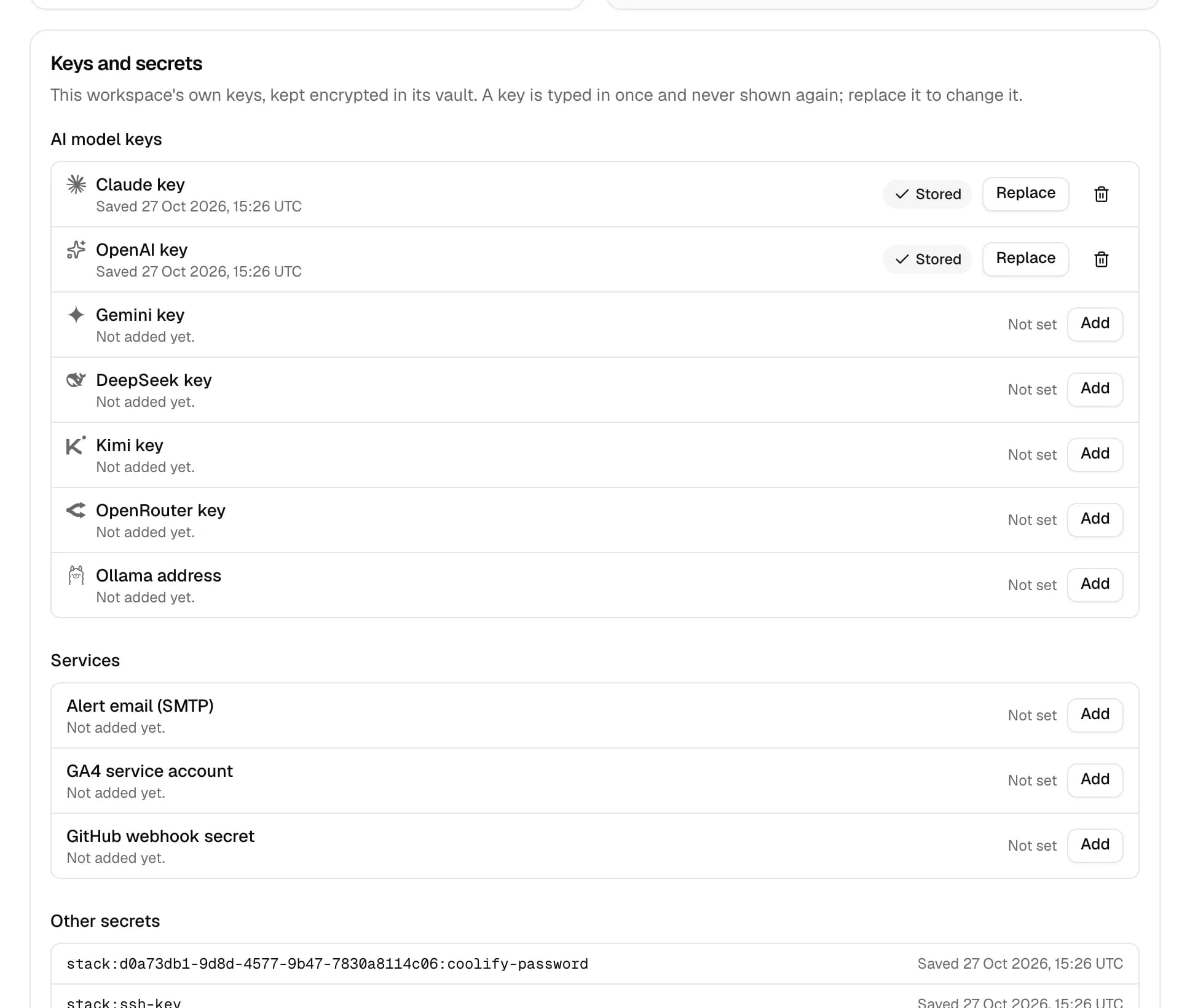
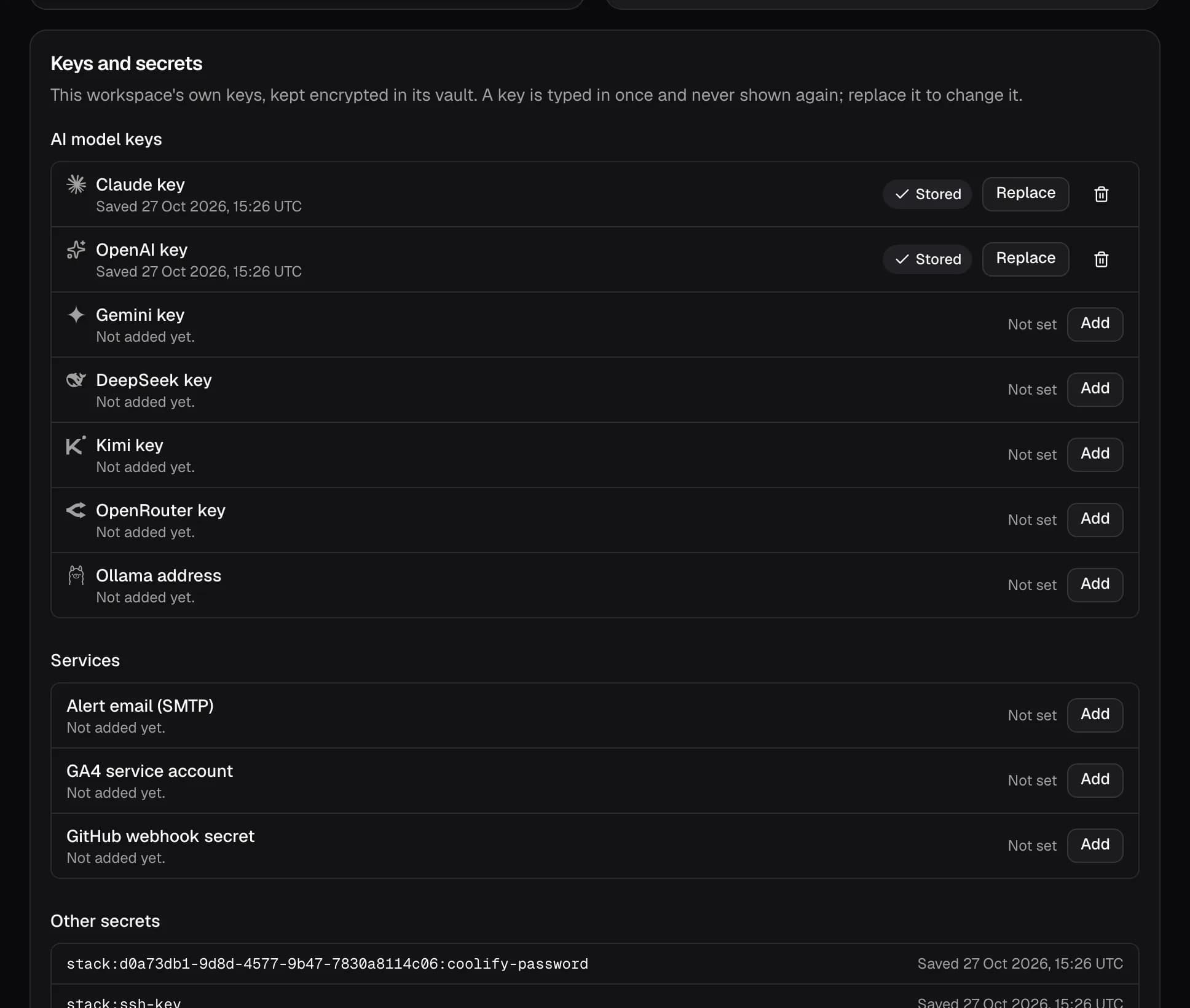
Keys typed in once, never shown again
Provider and AI keys are encrypted with AES-256-GCM and referenced by an id. They are decrypted only for the job that uses them.
- Per workspace
- Each workspace brings its own keys, SMTP, analytics and webhook secrets.
- Read more
- How airepeat protects keys and data
Run your next site on servers you own
Free during the beta. Bring your own keys and pay your providers directly.
New accounts are approved by hand during the beta.